Latest WACUP public preview for x86 & x64 is build #24360 (April 20th 2026) (x86 & x64 changelogs)
Latest restricted WACUP beta release is build #24360 (April 20th 2026) (x86 & x64 changelogs)

Show Posts

This section allows you to view all posts made by this member. Note that you can only see posts made in areas you currently have access to.


Messages - Der_Rio

Pages: [1] 2
1
It works with interim addon update (2.0.16).
Thanks!

Rio  :)

2
Thanks!  :)

3
I like to have an Apply button in the TipTop Config window.
Without it, I have always to close and reopen the config window for testing and correcting the tooltip string.

Rio  :)

4
General Discussion / Re: working in_shn.dll?
« on: September 13, 2025, 04:21:07 PM »
With [22656] the in_shn is working!
Waveform is unavailable, but that's not such a problem in the first place.

Thanks for the fix  ;D

5
General Discussion / [FIXED] working in_shn.dll?
« on: September 11, 2025, 05:08:54 PM »
Is there any in_shn.dll that is working with the latest version [22626] of WACUP?

6
Wishlist / Feature Requests / Re: Album Art Plugin Slideshow Mode
« on: May 13, 2025, 02:03:59 PM »
Maybe take a look at the "Cover & TAG" plug-in.
https://www.angelfire.com/blog/richter/cooool/plugin5.html
or
https://winampheritage.com/plugin/cover-tag-for-winamp5/138565

It uses the video window to display the cover art. It also has the option to cycle all track images!
It's a pretty old plug-in (2008). So its TAG-Edit options will not work anymore.

Rio  :)

7
Skins / Re: Big Bento Modern v1.2
« on: January 28, 2023, 08:54:21 PM »
OK. I couldn't reproduce the "use OS registry" method.  :-\

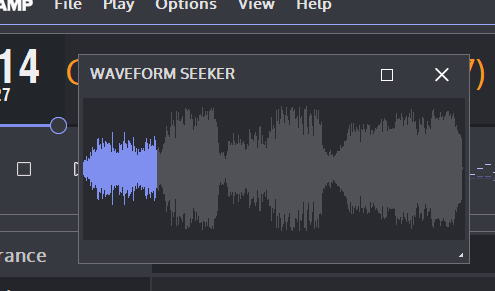
So, I made a backup of my WACUP_portable folder. Then I deleted it and reinstalled latest WACUP as portable (full install). But again, no "Integrated Waveform Seeker (IWS)" option!  :o
Then I copied bit by bit from the backup to the new install.
That way I found out what was the problem:
There has to be a file
WACUP_portable\Settings\WACUP_Tools\koopa.ini

It doesn't matter what's in the file - even a 0 byte file does it.
If that file is missing (or renamed) then there is no IWS. If I recreate a file with that path and name, the IWS reappears.
100% reproducible on my system.

Rio  :)  ???

8
Skins / Re: Big Bento Modern v1.2
« on: January 28, 2023, 02:30:38 PM »
I could fix the problem!

Because it's a potable install I have to "Allow WACUP to use the OS registry as required" (in Preferences|Advanced|Portabe Mode).


Rio :)

9
Skins / Re: Big Bento Modern v1.2
« on: January 28, 2023, 02:04:30 PM »
Hmmm, thats strange. It's not on my version:


But Waveform Seeker itself is installed and working as seperate window:


Any idea?

Rio :)

10
Skins / Re: Big Bento Modern v1.2
« on: January 27, 2023, 09:21:34 PM »
Hi!

I am missing the "integrated waveform seeker" option from older Big Bento Modern skins (1.1.5). Waveform Seeker is installed and works as a seperate window. But I can’t find the option to integrate it anymore.
Do I something wrong? Or is it removed from BBM 1.2? If so, will it return anytime?
I'm using WACUP 1.8.18.14282 as portabe install.

Rio  :)

11
Skins / Re: Big Bento Modern - final release v1.13
« on: January 07, 2019, 09:46:02 PM »
Yes, right-click menu has the same result. :(

12
Skins / Re: Big Bento Modern - final release v1.13
« on: January 07, 2019, 09:20:40 PM »
Sorry, stupid me. But I'm a bit sick these days.
Can NOT switch between Oszi / Spectrum by clicking on the visualizer. Still have to use the Classic Skins Prefs.

13
Skins / Re: Big Bento Modern - final release v1.13
« on: January 07, 2019, 08:44:40 PM »
I tryed your new file. But it dosn't make any difference. :( Still no minus for remaning times >= 1h.

14
Skins / Re: Big Bento Modern - final release v1.13
« on: January 05, 2019, 10:25:34 PM »
OK. But I can't sense any difference with the Visualization bug (no switching between osci / spectrum) with the clean install either.

15
Skins / Re: Big Bento Modern - final release v1.13
« on: January 05, 2019, 09:37:36 PM »
I did a clean install with WACUP v1.0.0.3174. But I'm still having the missing minus with track over 1h.

Pages: [1] 2